


 844-937-8679
 Login
Login


Articles > Cybersecurity > How to prevent cyber security attacks
How to prevent cyber attacks
This article was updated on October 1, 2026.


Written by J.L. Graff, MBA

Reviewed by Kathryn Uhles, MIS, MSP, Dean, College of Business and IT
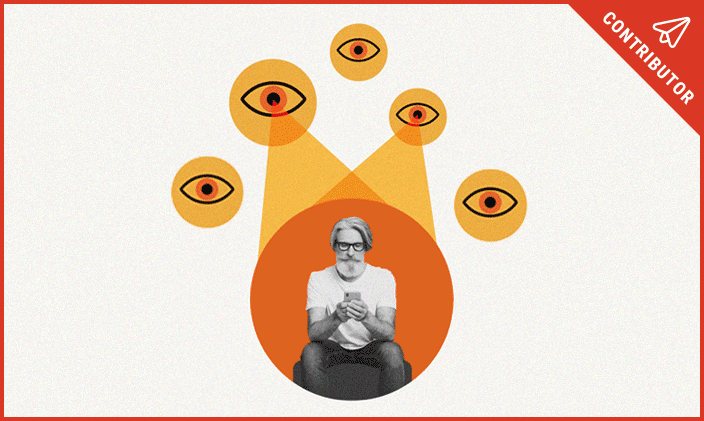
In today’s digital world, staying vigilant is more important than ever. No one is immune to a cyber security attack; in fact, 2026 reports show that organizations average 2,086 cyber attacks every week. That's an 18% increase from the previous year. Malicious actors work around the clock to gain unauthorized access to data, whether it’s to steal, damage or hold it for ransom. That means it’s essential to understand cyber threats and how to prevent them.
DIY ways to stay safe from cyber attacks
The key to avoiding a cyber attack is understanding systems and where vulnerabilities may exist. The adage is "knowledge is power." That includes knowledge that focuses on defending networks, servers and data against unauthorized hacking attempts.
The following are some quick and easy steps to take to safeguard personal information from ransomware, malware, phishing attacks, hacking and other cyber threats.
Engage multifactor authentication (MFA)
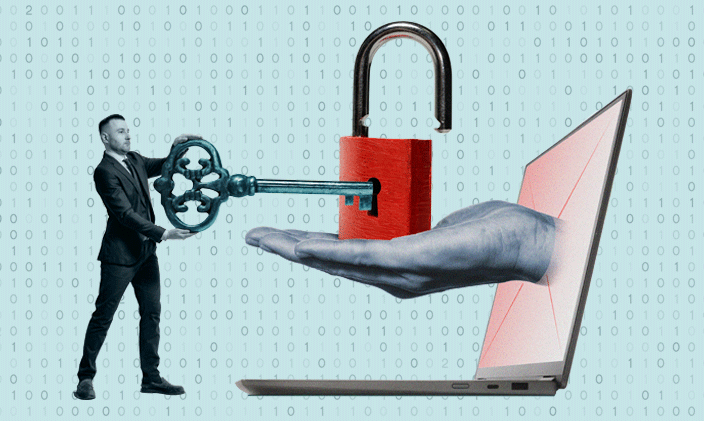
Multifactor authentication is a layered security approach that allows users two or more authenticators to confirm their identity when logging in to their online accounts. This way, if one authenticator is compromised in a cyber attack, the second can still protect the account.
Multifactor authenticators usually consist of something the user knows (e.g., password or PIN), something they have (e.g., smart card, mobile token or smartphone) and a biometric factor (e.g., voice recognition, facial recognition or fingerprint). As malicious hackers continue improving password-cracking techniques, MFA is more important than ever to protect data.
Individuals can secure MFA by purchasing a security key, which is one of the most effective MFA methods on the market. Security keys can be inserted into a computer or used wirelessly; some even have built-in fingerprint biometrics.
Those who do not want to carry a security key or are concerned about losing it can use an authentication application on a phone. When someone logs into an account, the authentication app sends a one-time authenticator code that can be used to log in successfully. Popular MFA options include Google Authenticator and Microsoft Authenticator.
Watch out for social engineering attacks
Estimates identify 98% of cybercrime as resulting from social engineering tactics. Hackers use phishing (email), vishing (voice phishing) and SMiShing (SMS text messages) attacks to gain access to personal data.
An email or text message may appear to come from a legitimate source but have a suspicious email address when the sender’s information is inspected. This can be a sign of a phishing cyberattack. A phishing attack is a social engineering tactic designed to deceive recipients into clicking a link, sending confidential information or downloading malware that gives hackers access to data.
Malicious hackers use tactics that appeal to fear, urgency, curiosity or greed. Once hackers have accessed an individual’s data, they can charge credit cards, steal photos and videos, impersonate the individual, drain bank accounts, compromise a network or withhold information until a ransom is paid.
Watch out for phishing attacks
Phishing has become alarmingly common in recent years. According to Cisco, 80% of ransomware attacks begin with a phishing email.
Some ways to mitigate vulnerability and reduce cyber attacks include:
- Be creative with the naming convention of email addresses. Uncommon email addresses will make it more difficult for hackers to send phishing emails.
- Pay close attention to hyperlinks, content and the email domain. All are opportunities to identify red flags like grammatical errors, misspellings or the use of numbers rather than letters.
- If the source of an email, voice message or text message is unfamiliar, do not respond, open or click on anything.
- Be cautious of pop-up windows.
- Avoid sharing personal data over text messages or emails.
- Be skeptical of communication with emotional lures, like “I’m in jail and need Amazon gift cards.” No one posts bail with gift cards.
- Update browsers frequently. Implementing the latest features and security fixes protects against known security issues and adds protection from viruses, phishing, scams and other cyber threats.
Protect passwords
Hackers may attempt to gain access to personal and financial information using several techniques to attack passwords. One of these is the brute-force cyberattack, which occurs when a hacker systematically attempts to discover a password using combinations of letters, numbers and symbols (e.g., %\*#$@).
To safeguard passwords from brute-force attacks, individuals should create passwords that are complex and long (a minimum of 12 characters is recommended) and avoid using common words. A password combination of letters, numbers and special characters is ideal.
Another technique hackers use is the dictionary cyberattack, in which attackers try to steal passwords using preselected lists of dictionary words, often beginning with commonly used words.
One solution is to avoid using common words in passwords and include upper- and lowercase letters, numbers and special characters when permitted. Individuals can also consider implementing the following:
- Avoid using the same password for multiple accounts.
- Stay away from using patterns or common passwords such as 123456, 654321, or 111111 for passwords. Similarly, eschew the use of adjacent characters, such as qwerty.
- Use a password manager to store passwords securely. Individuals often use passwords that are easy to remember, but these may also be easier for hackers to crack. Creating strong passwords that can be stored securely without having to remember them can provide a more reliable solution.
- Change passwords regularly, including Wi-Fi passwords.
- Use biometric scans such as fingerprint or facial recognition when available.
- Do not use personal information such as a name, birthday or street name in passwords.
- Avoid dictionary words.
Stay cyber savvy
While social engineering and brute-force hacks are common cyberattacks, they aren’t the only ones. Individuals can take additional steps to help prevent becoming victims of cybercrime.
- Avoid or severely limit the amount of personal information shared online, including on social media.
- Establish the most secure privacy settings an individual is comfortable using for phones, email and browsers.
- Avoid or limit the use of location features.
- Keep computer software up to date.
- Back up personal information regularly.
- Encrypt sensitive information.
- Use videos, literature, blogs, training, workshops, academic credentials and industry certifications to learn up-to-date cybersecurity measures.
- Trust personal intuition. If something sounds too good to be true, it probably is.
Learn about cyber attacks and more
Cyber attacks are just the tip of the iceberg when it comes to what you'll learn when you study information technology and cybersecurity. University of Phoenix offers online course collections, technology degrees and certificates, including:
- Associate of Science in Cybersecurity
- Bachelor of Science in Information Technology
- Bachelor of Science in Cybersecurity
- Master of Science in Cybersecurity
- Certified Ethical Hacker Course Collection
- Certified Incident Handler Course Collection
- Computer Hacking Forensics Investigator Course Collection
- Advanced Cybersecurity Certificate
Request more information about these and other programs at University of Phoenix.



ABOUT THE AUTHOR
J.L. Graff is the Associate Dean in the College of Business and IT. He has served University of Phoenix since 2002 and has been a faculty member since 2008. He is a member of Epsilon Pi Tau and trustee for the UOPX Delta Sigma Chapter. He also served as a Scaled Agile Framework (SAFe®) Product Owner for three years where he worked on enhancing and improving the University’s business agility. He has served as a member of the board of examiners for Southwest Alliance for Excellence (SWAE) and the Future Data Reporting Group for the National Student Clearinghouse. He has served on committees for Pacific Association of Collegiate Registrars and Admissions Officers (PACRAO) and American Association of Collegiate Registrars and Admissions Officers (AACRAO). He is excited about the current and future state of information technology and helping students reach their academic and professional goals.

ABOUT THE REVIEWER
Currently Dean of the College of Business and Information Technology, Kathryn Uhles has served University of Phoenix in a variety of roles since 2006. Prior to joining University of Phoenix, Kathryn taught fifth grade to underprivileged youth in Phoenix.

This article has been vetted by University of Phoenix's editorial advisory committee.
Read more about our editorial process.

FREE IT Programs Guide
Learn how 100% of our IT degree and certificate programs align with career-relevant skills.
Thank you
Download your pdf guide now. Or access the link in our email.